

A model's detail page
Everything that hangs off a reference: its image, its passport, its default warranty, its latest batches, and the drawer that starts a run.
This is the page that gathers everything depending on one reference, and from which a production run is started. You open it by clicking a row in the model list.
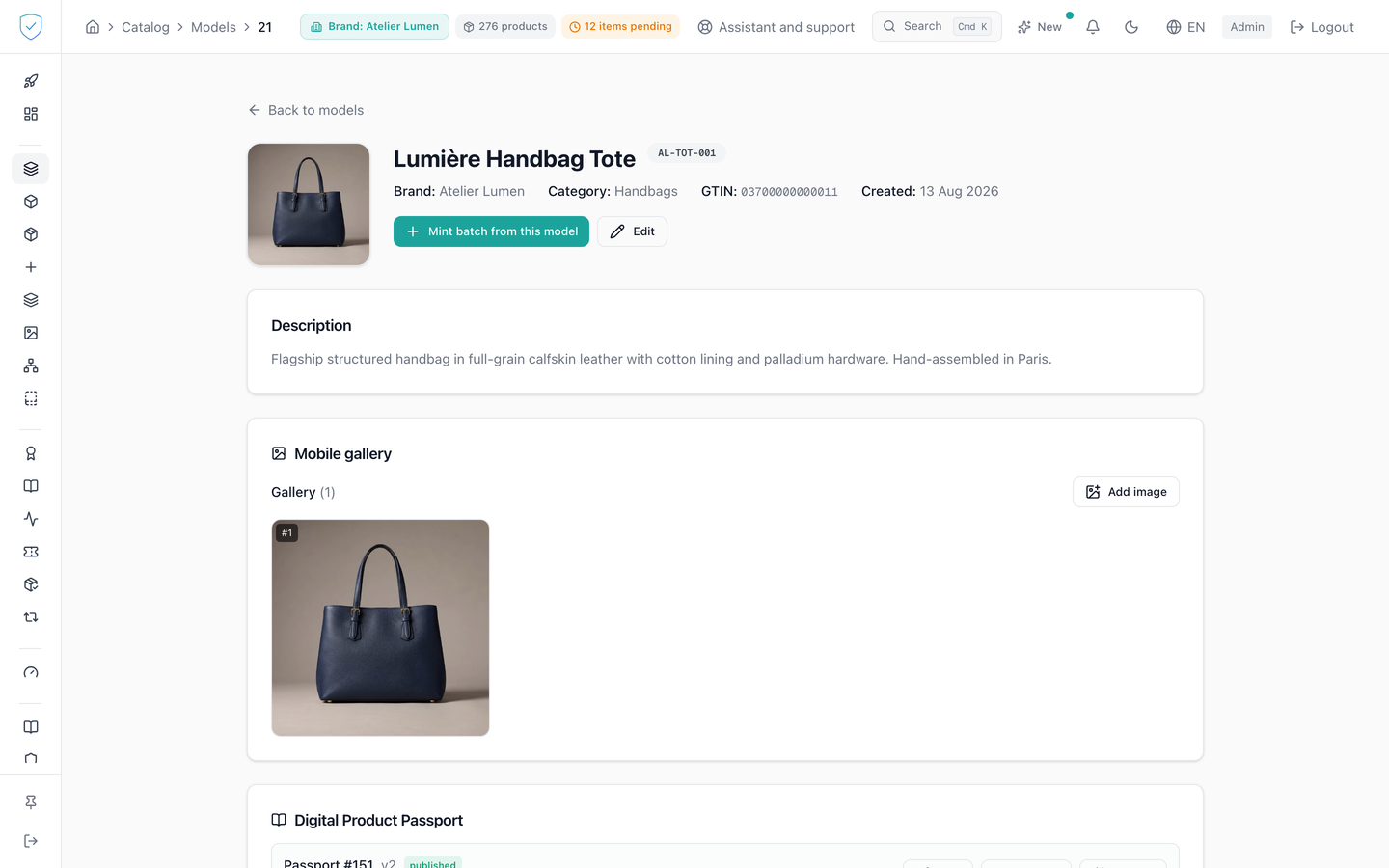
#What the screen shows
The "Identity level" card, under the header, only appears on a model still set to model passport only. It says that no piece can be created from this model, and offers to switch it to units. Every other model is at units: each piece created from it gets its own token and its own QR code, and the card does not appear.
The "Default warranty" card. When neither duration nor terms are set, it shows "No default warranty set." The terms you enter are stripped of all markup before being rendered.
The recent batches card, which asks for 5 batches only.
In the passport card, a line recalls that each piece carries its own QR code, printed from its batch or from the product list, and that the page of each piece shows this passport, or the passport of its batch. The page draws no QR code common to every piece of the model. A code of that kind already printed, which leads to /01/{gtin}, still shows this passport.
A brand on the Compliance offer has no pieces: the code it prints is the model's code, the same on every product. The passport card then shows that QR code, which leads to /01/{gtin}, with "Download the QR code". As long as the passport is not published, the card says "Publish the passport to get the code to print.". A model without GTIN has no code: the card says "Give this model a GTIN to get the code to print.". On that offer, the page shows neither the mint button, nor the "Default warranty" card, nor the "Identity level" card.
On this offer, the passport card says "Visible to anyone who scans the QR code of this model, printed on each of its products.", and the list of recent lots has no authentication column.
#What you can do here
Change the cover image by picking it from the media library: it is saved at once, with no save button.
Attach a passport to this model, or detach it. Detaching removes the link only: the passport itself stays in the brand's library. Batch passports are not offered: a batch passport stays attached to its batch, and the server refuses to move it.
Set the default warranty: a duration in months, terms, and a checkbox that makes it transferable. Open "Mint batch from this model". The drawer recalls the model, the brand's name and the category in the console's language, then offers 10 items by default and a batch code pre-filled as {SKU}-{YYMMDD}-{HHMM}, that is the first eight characters of the SKU, the two-digit year, month and day, then the hour and minute. The proposed code always fits in 20 characters, the limit of a lot number in a GS1 link: otherwise the batch could never have a lot passport. A code typed by hand that goes over that limit, or contains a space, a slash, a percent sign or an accented letter, shows a warning under the field before creation. It does not prevent creating the batch. The batch creation page shows the same warning. The authentication method is chosen between "NFC", "QR" and "NFC + QR", and the seal checkbox only appears if the method includes NFC. After creation, a batch carrying a chip goes to the encoder, a QR-only batch opens the batch detail page.
Clicking a row in the recent batches opens that batch's detail page.
Switch to units a model still set to model passport only. "Create units for this model" asks for a confirmation, then allows units to be created: each one will mint a token on chain. The card then disappears. Going back to model passport only is no longer offered.
#What gates access
The mint button does not appear on a model still set to model passport only. Elsewhere, it only appears for brand profiles allowed to mint and encode. It is hidden for the basic and dpp profiles. As long as no profile has been determined for the account, it stays shown by default.
It stays off while the model has no category. The reason is written under the button, "A batch cannot be minted until this model has a category.", followed by the link "Choose a category" that opens the model form. The "Create first batch" button of the batch list carries the same sentence.
In the drawer, the quantity you type is brought back into the range 1 to 10000 before it is sent. The submit button stays off while the batch code is empty, or while the model has no category.
#What the screen refuses
A model that cannot be found, or lies outside the account's scope, shows the server's refusal, "Product model not found", and a link back to the list.
The seal cannot be removed. The drawer's hint says so: "Switches the seal on for every tag of this run. Permanent on the chip, it cannot be undone. Tags must be NTAG 424 DNA TT with an intact tab."
Was this page helpful?
Your answer opens a pre-filled email in your mail app, addressed to contact@sealtrust.io. You read it over before sending it.