

The NFC encoder
Take a ready item from a batch, encode its NFC chip, write its certificate and mark the row as written.
This is the encoding station, at /encode-nfc. The screen takes an item still to be encoded from the batch, mints it on chain, configures the chip placed on the reader and marks the row as written. You open it batch by batch, one chip at a time.
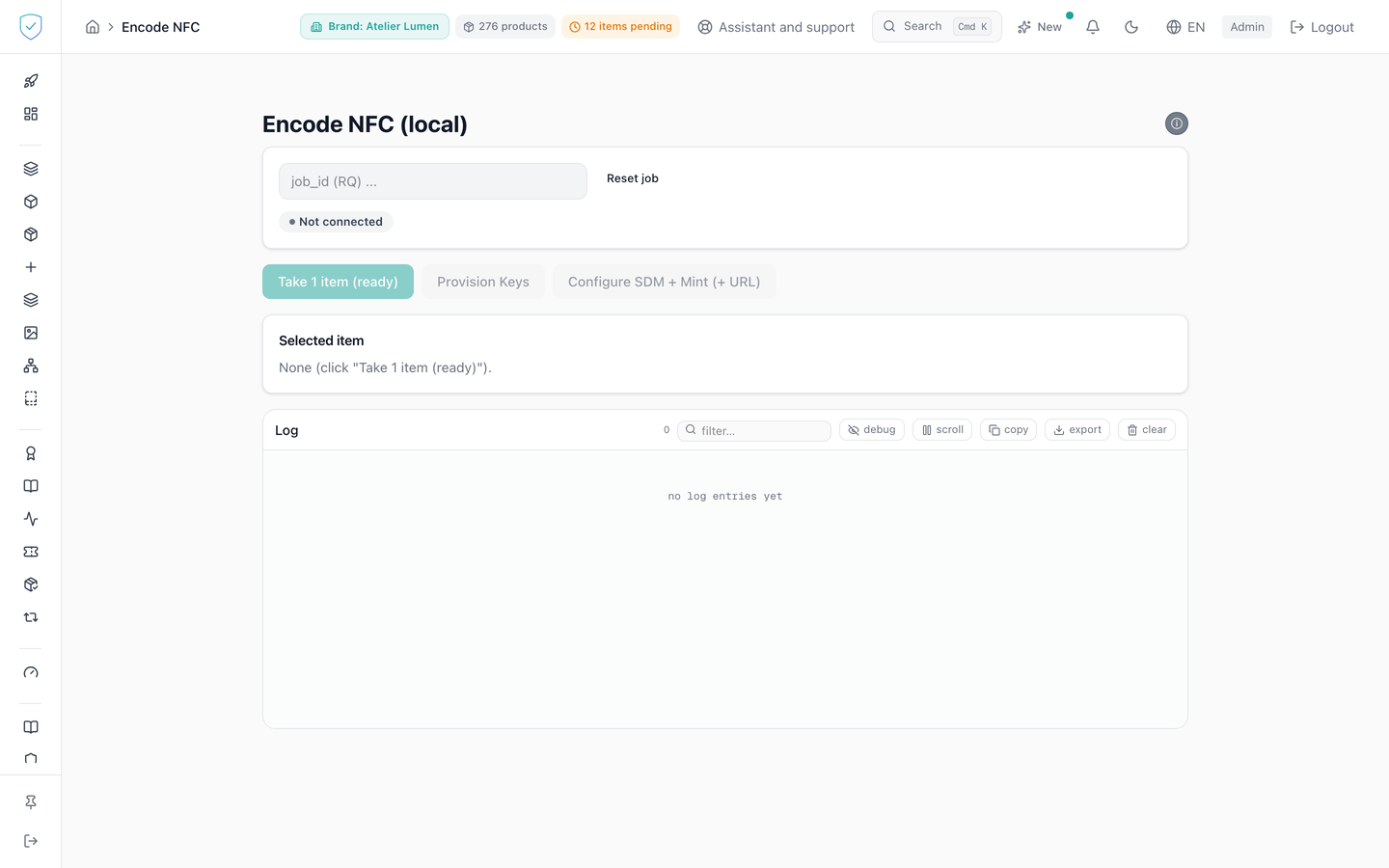
#What the screen shows
A field where you type the batch job_id. Once the batch has been found in the database, the screen knows its db_job_id and shows three counters, Ready, Written and Failed. As long as that db_job_id stays unknown, those counters and the "Export CSV" button are not rendered.
For a sealed batch, and only once the server has answered that it is one, an amber banner reads "Sealed batch." and recalls that switching the seal on is permanent.
The "Diagnostic" block only appears when the reader is connected, and it opens collapsed. At the bottom, a log carries the exchanges with the reader. It keeps the last 200 lines and stores them in the browser.
#What you can do here
- "Take 1 item (ready)" asks the server for a single item, the first one still at status
ready_to_scan. - "Provision Keys" loads the keys onto a new chip. A browser window first warns that the tag must be new and that the operation is irreversible without the keys.
- "Configure SDM + Mint (+ URL)" chains the mint, the chip configuration, the certificate write and then the item marking. Writing the certificate waits for the reader for 60 seconds, and the rewrite is always requested, even if the product already carried a certificate.
- "Export CSV" downloads the batch result, capped at 50 000 rows. Every export leaves one line in the audit log, with the account, the date, the IP address and the batch's brand, and never blocks the download.
- "Erase + Forget" asks the server to destroy the product's token on chain, detaches the chip from its product row, then erases the address written on the chip. When the chip matches a single row, a window asks you to retype the product serial, or its token id when the row carries none, and enter a two-factor code, with a checkbox for a backup code.
- "Mark written" on an item already written returns a positive answer without changing anything.
#What governs access
This screen serves the identity of pieces. For a brand on the Compliance offer, its menu entry stays visible but locked, marked "Identity", and the server refuses its operations with the code OFFER_EXCLUDES_IDENTITY (the two offers). Opened from a saved link or a typed address, the screen shows "Included in the Compliance + Identity offer" inside the console, not a refusal about the plan.
The NFC screens live in the "Tools" section of the menu. That section is carried by the nfc_encoding capability and locked, while staying visible, for the basic and dpp brand profiles.
Before any write, the server checks access to the batch brand, its active subscription, the cap of a trial account, then its authentication methods.
"Take 1 item (ready)" stays inert as long as no job_id has been typed and no db_job_id is known, and while a load is running. "Provision Keys" and "Configure SDM + Mint (+ URL)" stay inert as long as the reader is not connected or an operation is running.
#What the screen refuses
- Unknown batch kind: the configuration is not sent, and the screen asks you to reload the page. Encoding without knowing may burn a permanent seal onto an ordinary tag.
- An item whose status is neither
ready_to_scannorFAILEDis refused. - A chip already minted stops the run on "This UID is already minted on-chain."
- If generating or writing the certificate fails, the item is not marked written. Start again on the same chip.
- Marking an item written when it is neither being written nor already written is refused.
- If the chip matches several product rows carrying different serials, nothing is sent.
- Exporting a batch that holds no item is refused.
Was this page helpful?
Your answer opens a pre-filled email in your mail app, addressed to contact@sealtrust.io. You read it over before sending it.