

The tutorial hub
Watch the console's video walkthroughs, sorted by category and served in the language of your interface.
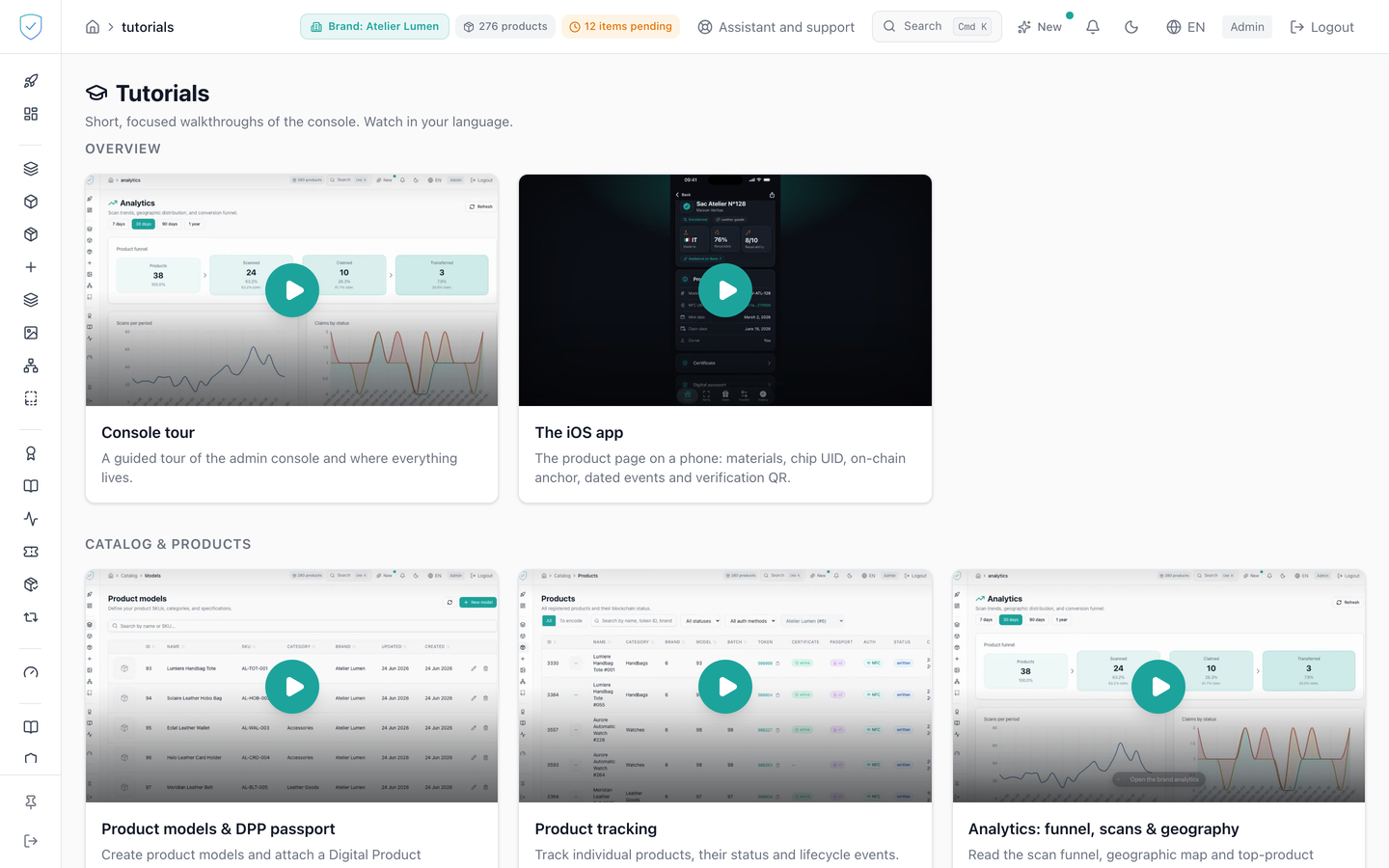
This screen gathers the console's video walkthroughs, from the general guided tour to plugging in a connector. Each tutorial is a thumbnail with a title and a one-line summary. It is a documentation page: it reads and writes none of your brand's data.
#What the screen shows
- A "Tutorials" header with the subtitle "Short, focused walkthroughs of the console. Watch in your language."
- Five categories: "Overview", "Catalog & products", "Trust & compliance", "Engagement" and "Settings & developers".
- Thirteen thumbnails in all, spread across those categories. "Overview" carries two of them, the console tour and the iOS app. The grid moves to two columns from tablet width, and to three columns on very wide screens.
- For each tutorial: an illustration image in 16/9 format, a large play button, a title and a one-line summary.
- The video catalogue is written into the page itself. None of your brand's data is loaded to display it.
#What you can do here
- Start a video by clicking its thumbnail. The player then replaces the image.
- Browse the tutorials by category.
- Change the interface language to get the French or the English version of the same video. Every tutorial exists in both languages, as two distinct videos.
#What controls access
- The "Tutorials" entry in the side menu carries no profile restriction and no plan condition.
- The content only appears for an authenticated administrator session.
- The version served depends on the console's active language, French or English.
- The video player is only mounted after your click. Before that, the page holds only the illustration image, served from
/tutorials/, and the play button. - The video is then embedded from
youtube-nocookie.com, with therel=0andmodestbranding=1parameters. - The code provides a "Coming soon" state for a video not yet published: the thumbnail is then greyed out, not clickable, and carries the line "This video is being published. Check back shortly." All thirteen tutorials have a video online in both languages today, so that state is visible on no thumbnail.
#What the screen refuses
- A session that is not an administrator one: the whole page is replaced by "You do not have access to this page."
Was this page helpful?
Your answer opens a pre-filled email in your mail app, addressed to contact@sealtrust.io. You read it over before sending it.