

API documentation in the console
A read-only reference page explaining how to connect third-party software to the partner API.
This screen gathers what your technical team needs in order to call the partner API from its own software: base address, key authentication, batch product creation, webhooks and code samples. It sends no call and shows no data belonging to your brand. You open it to connect an external tool, or when a call has been refused and you are looking for the rule behind the refusal.
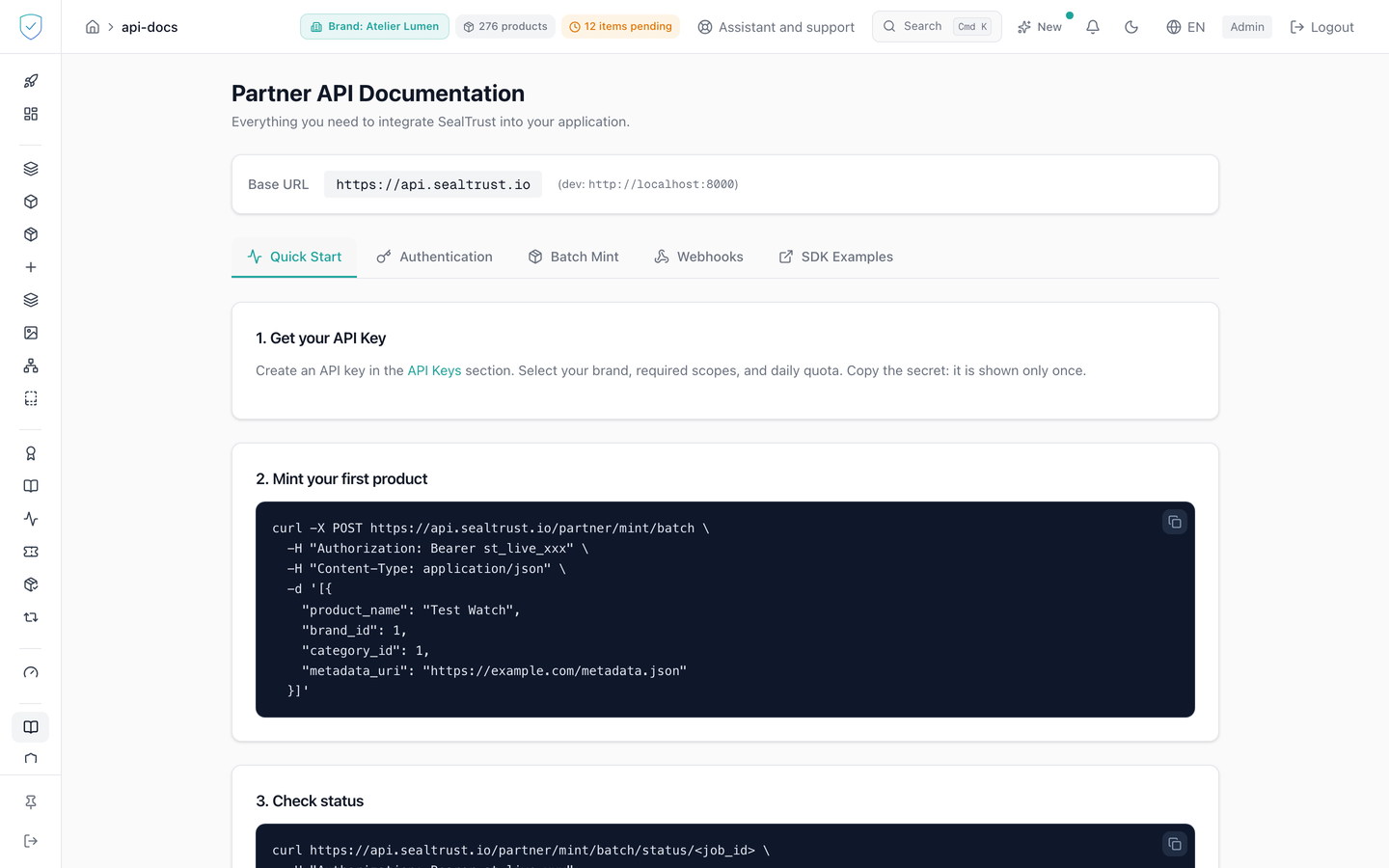
#What the screen shows
The title "Partner API Documentation" and an introductory sentence. The labels on this page are in English.
A "Base URL" card carrying https://api.sealtrust.io.
Five tabs: Quick Start, Authentication, Batch Mint, Webhooks, SDK Examples.
Lists of endpoints, each with its verb in colour, GET in blue, POST in green, PUT in amber, DELETE in red, and, for those that require one, the scope shown as a pill.
A table of key properties: brand_code, the brand's public code, scopes, quota_per_day, expires_at. The quota is counted in products: one batch creation call carrying 500 products consumes 500 units, and null means unlimited.
An error table announcing three codes only: 401 for a missing or invalid key, 403 for an expired or revoked key, or one with insufficient scopes, 429 for the per-minute limit or the daily quota. The X-RateLimit-* headers accompany every response, the X-Quota-* headers only the 429 that has already refused the call.
A table of webhook events, from product.minted to the buyback.* events.
Code blocks for curl, Python and TypeScript, each with its copy button, and amber panels stating the server rules.
#What you can do here
Switch between the five tabs. Quick Start is the one shown on opening.
Copy a code block in one click: the icon turns into a tick for 2 seconds, then reverts.
Open the API keys page through the "API Keys" link in step 1.
#What governs access
Your plan must include the api_access feature.
You must be signed in and an administrator. Otherwise the console replaces the page with "Unauthorized. Please log in at www.sealtrust.io (nouvel onglet)." and a sign-in button.
The "API Documentation" entry in the side menu carries no feature key: it stays visible and clickable even when the page behind it is blocked.
#What the screen refuses
Without api_access in your plan, the whole page is replaced by three lines: "Feature unavailable", "This feature is not included in your current plan." and an invitation to contact SealTrust for an upgrade.
A batch of more than 500 products is refused with a 400, the message carrying the number received and the limit.
Deleting a webhook subscription without confirmation is refused with a 400, code CONFIRMATION_REQUIRED, and with a wrong confirmation with a 400, code CONFIRMATION_MISMATCH. In both cases nothing is deleted.
An event absent from the table is rejected at subscription time. product.verified and certificate.revoked appear in the lifecycle code without being subscribable or ever emitted: their two triggers have no caller. So you can neither subscribe to them nor receive one.
A webhook address must use HTTPS. An unknown field in the body returns a 422, and so does a signing secret under 32 characters. Without a secret, the creation generates one, returned only once in its response.
The screen points to docs.sealtrust.io for the full reference. The interactive schema is deliberately closed in production: there is no Swagger page to open. The OpenAPI contract of the partner endpoints can be downloaded at docs.sealtrust.io/openapi-partner.json.
Was this page helpful?
Your answer opens a pre-filled email in your mail app, addressed to contact@sealtrust.io. You read it over before sending it.