

Production batches
The batch list, their creation, their filters, and the bulk deletion that requires retyping a sentence computed by the server.
A batch is a run made from one model. This screen lists them all, lets you create some, filter them, and clear out the drafts without touching what is already minted or anchored. You get here through the "Production batches" entry of the Catalog section.
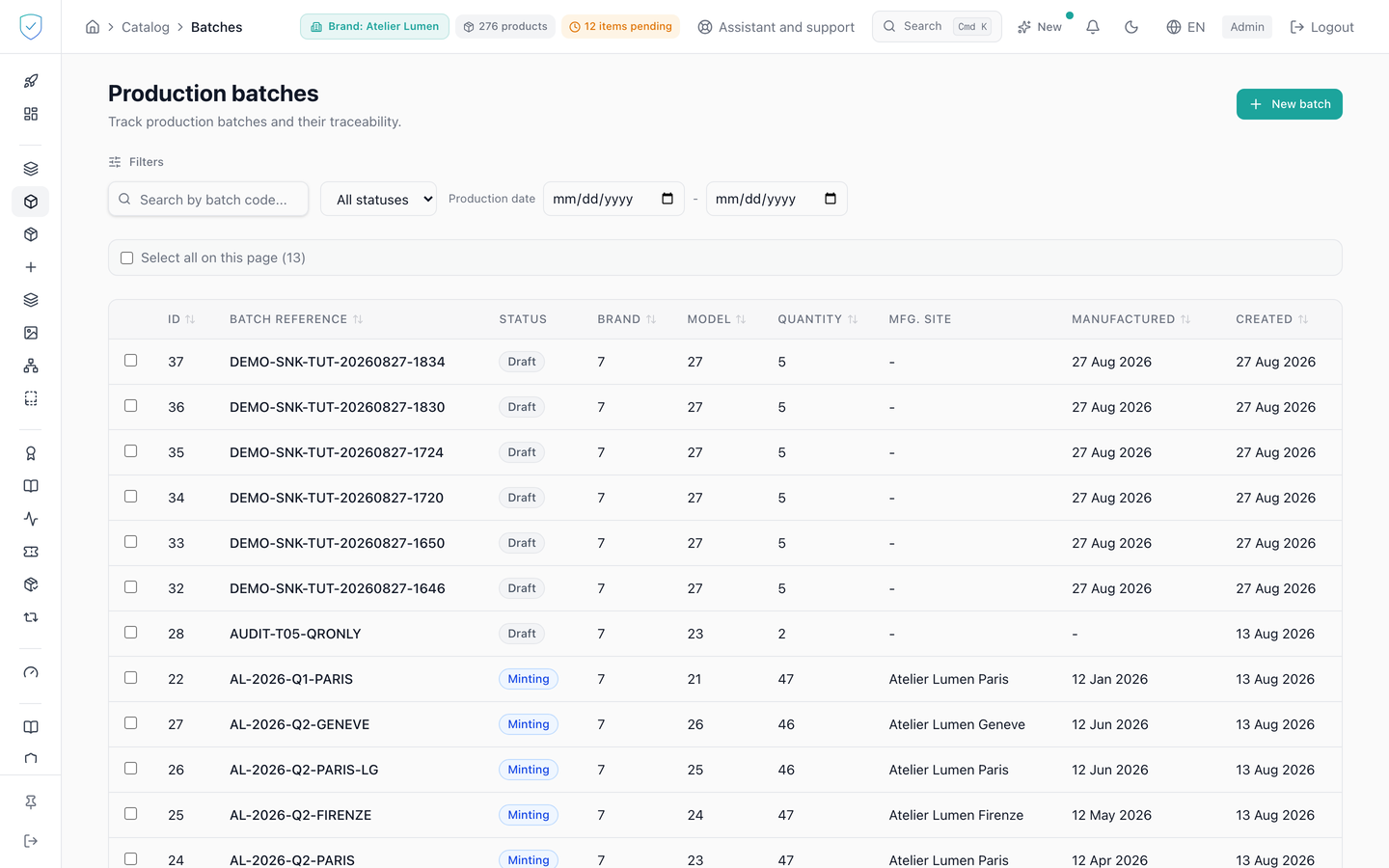
#What the screen shows
A table that asks for 20 rows per page by default, with one checkbox per row. The Brand and Model columns show their names. The selection bar's checkbox reads "Select the deletable batches" followed by their count: a batch anchored on-chain cannot be deleted, so it is not counted.
A batch page carries an "Add units to this batch" link, which leads to the product creation screen. A unit already minted outside any batch can be attached afterwards, but only while the batch is not anchored: the Merkle tree was computed over the units present at anchoring time, so adding one later would produce a unit whose leaf is in no tree, and the root written on chain cannot be rewritten. Attaching also refuses a unit that already has a batch, since it attaches and does not move, a unit of another brand, and a withdrawn unit. A unit of a brand the account cannot see is refused as not found (not_found), never as belonging to another brand. If a single unit is refused, none is attached. That is where a unit is born and linked to its batch, and nowhere else: the batch page itself creates nothing. A batch with no unit linked has nothing to anchor, since the Merkle anchor is computed over the batch's products.
A batch's status is not stored, it is derived by the server and returned with the batch. Anchored if the batch carries an anchoring transaction. Otherwise minted if all its products are, a piece recorded under its lot's root in anchored mode counting as minted (pieces registered by lot), minting if only some are, draft in the remaining cases.
Two cleanup buttons: "Delete drafts" for the current selection, and "Force cleanup ({count} blocked)" for the batches that resisted.
#What you can do here
Create a batch. The model is picked from a list, by name, filtered on the selected brand: the form used to ask for the model's database identifier, a number you had to fetch from another screen, while the brand already had a selector. The authentication method chosen in the form, between "NFC Encoding", "QR Code Generation" and "NFC Encoding + QR Code", is indeed passed to the server.
Filter. The screen's three filters go to the server: the searched text, the status and the production dates. The status filter offers the four states a batch can be in: Draft, Minting, Minted and Anchored. The result count at the bottom therefore counts the batches the filter keeps, across the whole catalogue and not only the page on screen.
The brand is not filtered here: the list follows the one in the top bar, like the other catalogue screens. It did not before, and the screen showed the batches of every brand on the account.
Tick batches, then start their deletion. The screen first asks the server for a preview: that call counts what would be destroyed and writes nothing. You then retype the sentence the preview returned, and the deletion goes out.
Run a force cleanup on the batches that stayed blocked. Click a row to open the batch's detail page.
#What gates access
Bulk deletion accepts at most 200 identifiers per call, on the screen side as on the server side. Force cleanup is capped at 25, because that path kills encoding jobs in flight and releases pending multisig blockers.
The sentence to retype comes from the preview alone. The server builds it from the counts: "delete {n} batches, {m} products", or "force delete {n} batches, {m} products, {j} jobs" for the forced path. The button only turns on if the typed text, once normalised, equals that sentence, and an empty expected value never turns it on.
Force cleanup only targets blocked batches that are neither anchored nor carrying a published batch passport. Both states are final: one is written on chain, the other has been read by the public.
#What the screen refuses
The checkbox of an anchored batch is off, with the tooltip "anchored on-chain".
A batch is blocked if it has minted products, an anchoring transaction, pieces recorded in anchored mode, a published batch passport, an encoding job in flight, or an item awaiting multisig. The passport drafts of a batch, never published, go with it.
On creation, the server refuses a brand outside the account's scope with a 403 Accès interdit à cette marque. A model that does not exist gives a 404 "Product model not found", a model of a brand the account cannot see the same 404, and a model of another of the account's brands a 400 "Product model brand_id does not match batch brand_id". A batch code already taken in the brand gives a 409 "Batch code '' already exists for this brand".
Under the reference field, a warning appears before creation when the reference is longer than 20 characters, or contains a space, a slash, a percent sign or an accented letter: a GS1 link cannot carry it, so this batch could never have a lot passport. It does not prevent creating the batch.
The country of origin must be exactly 2 letters, otherwise the form shows "Must be a 2-letter country code (e.g. FR)".
Was this page helpful?
Your answer opens a pre-filled email in your mail app, addressed to contact@sealtrust.io. You read it over before sending it.