

Claim rules
The rules that decide who can claim a product of the brand and until when, one rule per sales channel, plus issuance of the purchase code handed to the buyer.
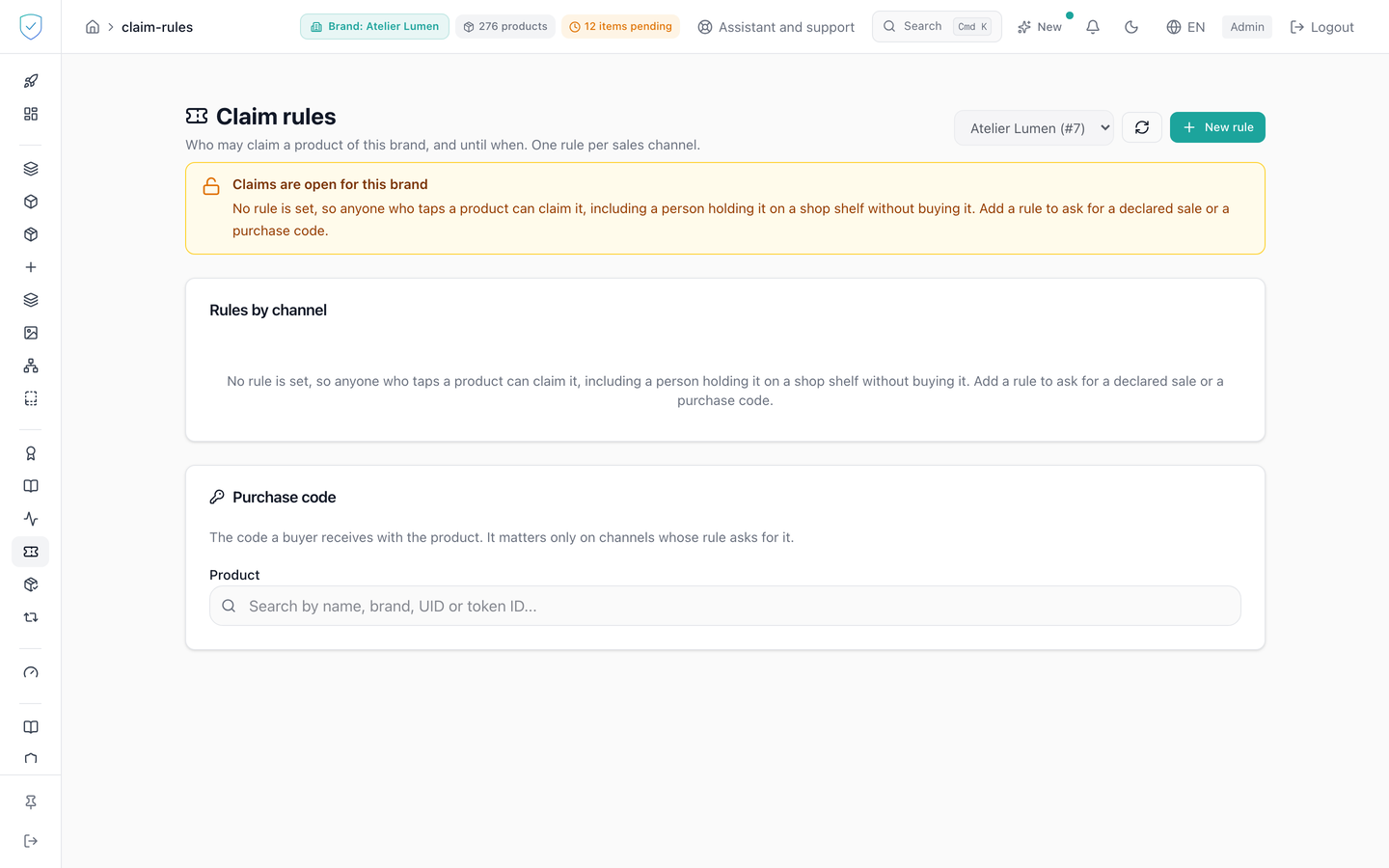
This screen decides who is allowed to become the owner of a product of the brand, sales channel by sales channel. An empty table means claims are open, and the screen says so in plain words. The second half of the page is used to issue the purchase code the buyer will present.
#What the screen shows
A brand selector, a refresh button and "New rule".
A "Rules by channel" table with five columns: "Channel", "Sale declared", "Claim window", "Purchase code", "Actions". The window is shown followed by "days after the sale". "Fallback for every other channel" appears under the default channel. A rule that turns nothing on and sets no window carries the "Asks for nothing" badge.
Banners: "Claims are open for this brand" when no rule exists, a state read as it comes from the server; "Channels you have not listed stay open" when rules exist but none covers the default channel; a reminder after the last rule is deleted; a warning about a window set with no declared sale required.
A "Purchase code" card: product selector, issuance date, issuer, and "Used on ..." or "Not used yet". The piece is picked by the serial printed on it (in full, or by its first four characters at least) or by its name; each result shows the serial first, then the lot code.
#What you can do here
Choose the brand, refresh the list, create a rule with "New rule": channel, declared sale requirement, window in days, purchase code requirement. The channel is lowercased and its leading and trailing spaces are removed before it is saved. Edit an existing rule. Delete a rule by retyping the channel name.
Issue the purchase code of a product, or reissue it after a confirmation warning that paper already printed becomes useless. Copy the code, or close with "I have written it down".
This screen issues codes one at a time. For hundreds of pieces, tick "Issue a purchase code for each piece" when you mint the batch (the batch sheet), tick "Issue a purchase code for each QR piece" when you create QR pieces of one batch (create a product), or issue them through the API with a key carrying the claim_codes:issue scope (issue purchase codes).
#What governs access
This screen serves the identity of pieces. For a brand on the Compliance offer, its menu entry stays visible but locked, marked "Identity", and the server refuses its operations with the code OFFER_EXCLUDES_IDENTITY (the two offers).
A signed-in administrator account, otherwise the screen only shows "Loading...". The sidebar entry is visible for every brand profile, and no plan option is required. An administrator only sees the rules of the brands the account has access to.
With no brand chosen, the screen shows "Choose a brand to see its claim rules." and the refresh and create buttons stay inactive. If the brand list could not be loaded, the selector is replaced by "The brand list could not be loaded." and a "Try again" button. The "Channel" field is locked when editing: saving works per brand and channel pair, with no rename. The window must fit between 1 and 3650 days, on screen as on the server.
The purchase code is shown once only: the server keeps only a keyed digest of it, which cannot be read back, and its status only says whether it was issued and whether it was used.
#What the screen refuses
Saving with no channel: "Give the rule a channel.". Creating a rule on a channel that already has one: "A rule already exists for this channel. Edit it from the table instead, so you can see what you are replacing.", a refusal raised before any network call. A window out of bounds: "The window must be between 1 and 3650 days.".
Deleting without retyping the channel name: 400, code CONFIRMATION_REQUIRED. The expected name is never repeated in the message, since that is exactly what has to be read. The consequence announced counts the remaining rules before the deletion: deleting the last rule leaves claims unrestricted, deleting the default rule frees the channels with no rule of their own, and deleting a channel rule sends that channel back to the default rule.
An unauthorised brand: 403. A rule or a product not found: 404.
Was this page helpful?
Your answer opens a pre-filled email in your mail app, addressed to contact@sealtrust.io. You read it over before sending it.