

Scan UIDs
Place blank chips one by one, read their UID, drop duplicates and export the list as a CSV.
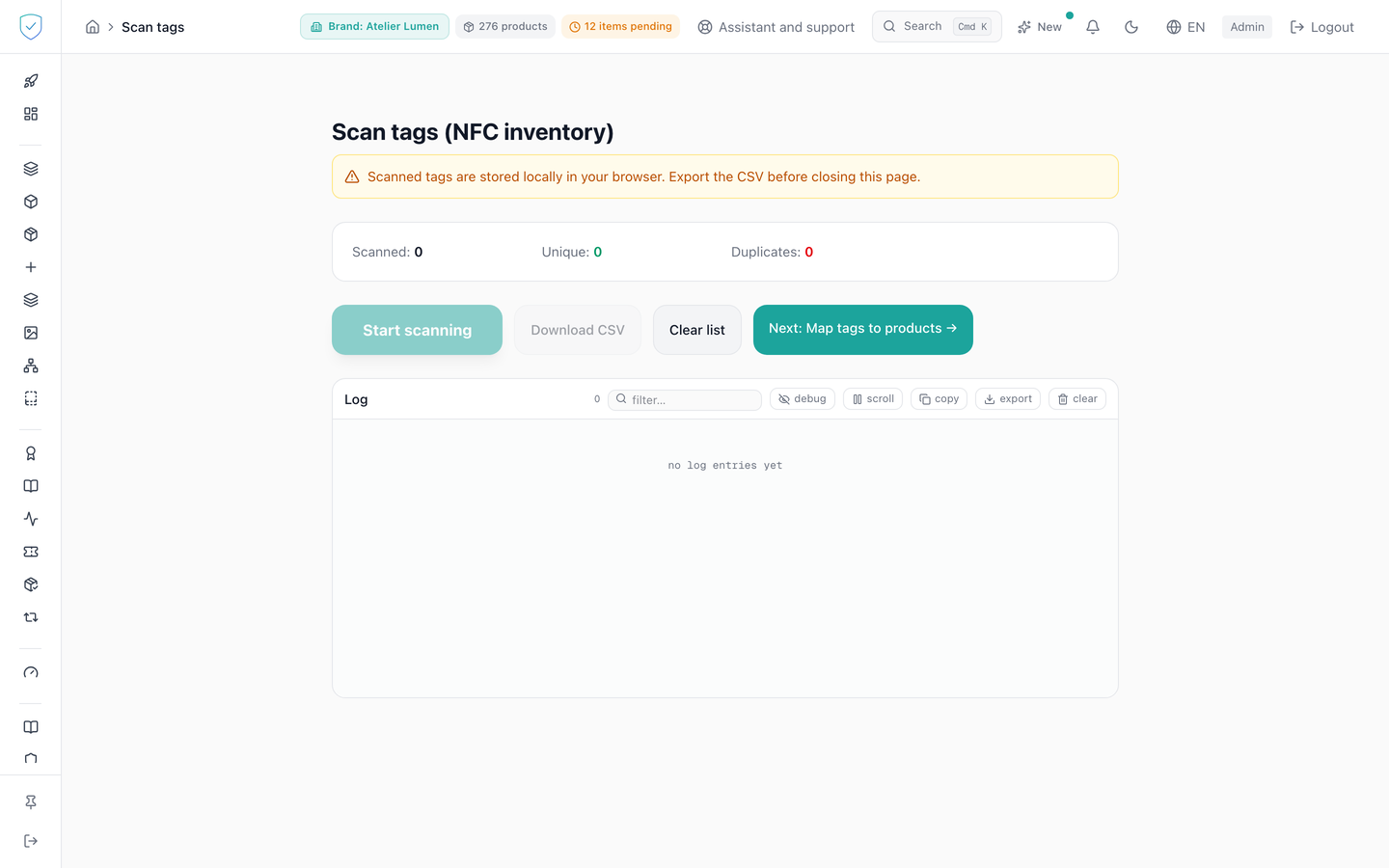
This is the chip inventory, at /scan-tags. You place tags one by one on the reader, the screen reads their UID, drops the ones it has already seen and gives you a CSV file. No UID read here is sent to the server: until the CSV is downloaded, the list exists only in this browser.
#What the screen shows
A counter card that follows the session: tags scanned, unique ones and duplicates. The list of rows read lives in the browser, capped at 5000 rows both when saved and when read back.
A log carries every read, keeps the last 200 lines and stores them in the browser too. For each tag, the screen computes the uid_hash locally, by keccak256 over the UID bytes, with the same function as the encoder.
#What you can do here
- "Start scanning" runs the read loop, one tag after the other. "Stop" closes it.
- "Download CSV" produces a file named
scan_tags_followed by the current date. It carries the columnsindex,uid_hex,uid_hashandscanned_at, from the first tag scanned to the last. The on-screen list puts the last scanned one on top, the file follows the reverse order. It is UTF-8 with a byte order mark (BOM), so that Excel reads it without garbling the characters. - "Clear list" wipes the rows, the counters and what the browser kept of them.
#What governs access
This screen serves the identity of pieces. For a brand on the Compliance offer, its menu entry stays visible but locked, marked "Identity", and the server refuses its operations with the code OFFER_EXCLUDES_IDENTITY (the two offers). Opened from a saved link or a typed address, the screen shows "Included in the Compliance + Identity offer" inside the console, not a refusal about the plan.
The "Scan UIDs" entry lives in the "Tools" section of the menu, carried by the nfc_encoding capability and locked, while staying visible, for the basic and dpp brand profiles.
The /scan-tags route is subject to that same capability. Without it, the console replaces the screen with "Feature unavailable" and "This feature is not included in your current plan.", followed by an invitation to contact us about changing plan.
The start button is only active when the reader is connected, which is set on the reader connection screen. "Download CSV" is inert when the list is empty or during a scan. "Clear list" is inert during a scan.
#What the screen refuses
- With no reader, the loop stops at once on "WS not connected."
- A tag left on the reader is not counted twice. The same
uid_hashseen again within 2000 milliseconds is ignored, with the log line "Same tag still present (ignored)". - A tag already in the list increments the duplicate counter and adds no row.
- Every read request goes out with a 60 second timeout, and the screen waits for the reader answer for at most 65 seconds.
One precision about nothing being sent to the server: landing on the page still triggers the loading of the brand list, as on any console page. It is the UIDs read that go nowhere.
Was this page helpful?
Your answer opens a pre-filled email in your mail app, addressed to contact@sealtrust.io. You read it over before sending it.